


Windy.com - Weather Forecast
4.710.52K Reviews
App Specs
- Version
- Varies with Device
- Updated On
- License
- Free
- Downloads
- 50,000,000+
- Developer
- Windyty SE
- Categories
- Weather
- Platform
- Android, iOS
Screenshots
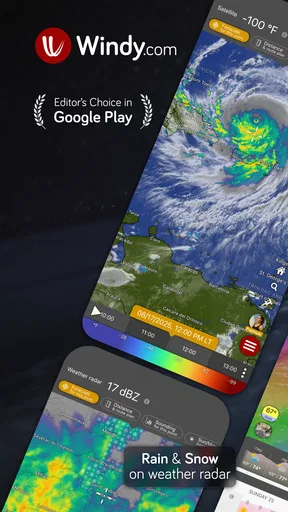
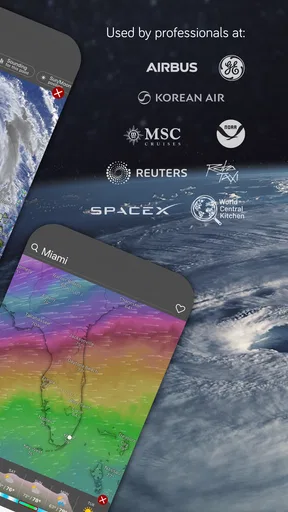
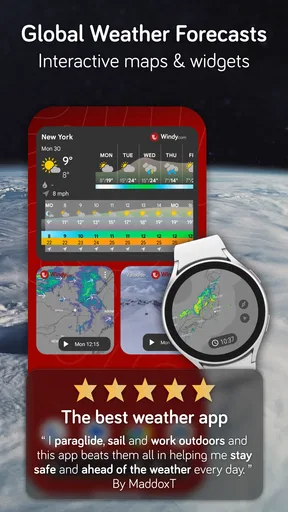
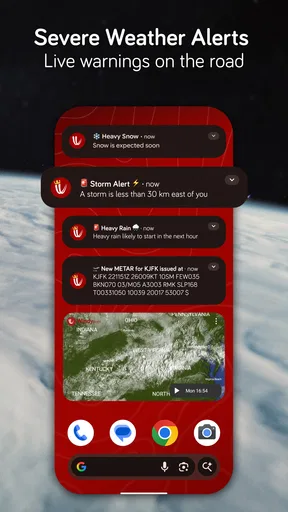
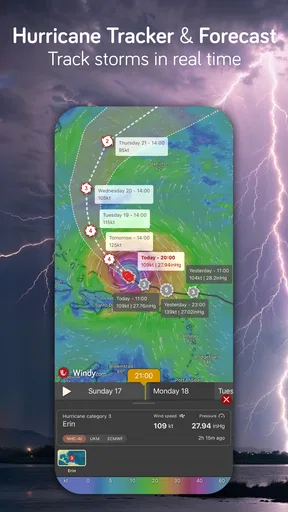
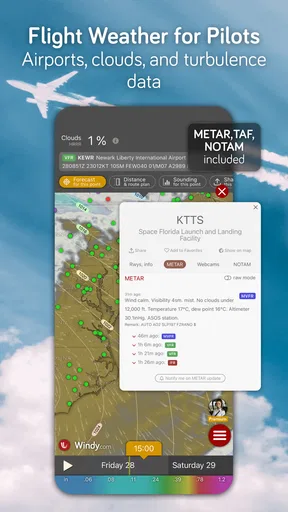
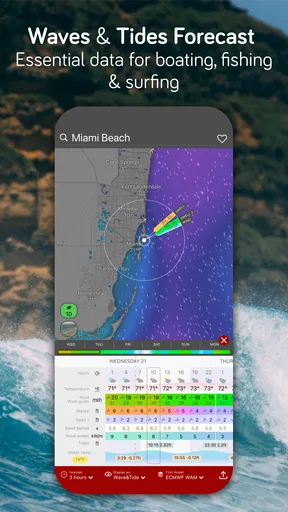
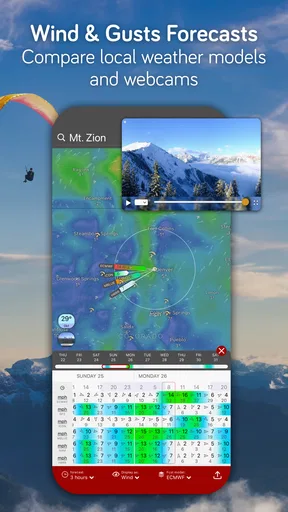
 Analysis by AppCompare
I tend to reach for Windy.com when a simple “sunny or rainy?” answer is not enough. Its map-first approach makes it easier to see how conditions are moving across a region, rather than treating the forecast as a single number for one location. That is useful when I am planning a drive, deciding whether to go for a walk, or checking if wind might matter more than the temperature. It is a free weather app from Windyty SE, and its broad set of map layers gives it a different feel from the quick forecast panels built into many phones.
Why the map can take a moment to make sense
The first point of friction is also the app’s main strength: there is a lot to look at. A newcomer may open the map, see moving colors and symbols, and wonder which layer answers the question they actually have. I find it helps to begin with one practical concern—rain, wind, clouds, or waves—and avoid trying to interpret every visible detail at once. Windy.com is more useful when I treat it as a focused map tool than when I expect it to explain the whole forecast in one glance.
It can also take a little practice to connect a broad weather pattern with conditions at a particular street or outing spot. A map helps show what is happening around a place, but local terrain and rapidly changing weather can make a precise plan less certain. I use it to understand the likely direction of change, then keep a simpler forecast view in mind for the basic question of whether I need a coat or umbrella.
Small setup checks that make a difference
When a location does not look right, I first check that I am viewing the intended place on the map rather than assuming the display is centered on where I am. Searching for or moving to the destination before checking its layers avoids a common mistake: reading conditions for home while planning a trip elsewhere. I also make sure I have selected the weather layer that matches the decision. Wind information is not a substitute for rain timing, and a cloud view does not tell me whether a gusty walk will be comfortable.
Another useful habit is to choose a time in the forecast deliberately. A map can look reassuring at one point and very different later, so I compare the period I care about with the hours around it instead of relying on a single snapshot. This is especially helpful before a commute or outdoor plan: the question is not just what the weather looks like now, but whether it is changing while I will be out.
Recovering when a forecast view feels confusing
If the display seems cluttered, I simplify it rather than restarting my search. I switch to one relevant layer, zoom out to understand the larger pattern, and then zoom back toward the destination. That order gives me context first and detail second. If I have moved around the map a lot, I recheck the selected place and forecast time before drawing a conclusion; it is easy to lose track of which area I am inspecting.
I also avoid treating one unexpected map view as proof that the app is broken. Weather layers represent different aspects of conditions, so two views can look inconsistent while answering different questions. Returning to the layer and time that match my plan usually clears up the confusion. For decisions with real consequences, I check the forecast again closer to departure rather than treating an earlier look as a guarantee.
Worth Reading Before You Choose

Baby Panda World Brings Quick Play to Modern Phones, but Its Game Library Feels Busy

ESPN’s Live Game View Makes Following Close Games Easier

QuizzLand Review: A Good Fit for Short Trivia Breaks, Not Every Player

Basketball Stars: Multiplayer Is Fast, but Can It Recover When Matches Go Wrong?

WEBTOON Turns Phone Updates Into a Better Reading Routine

Link to Windows Runs on Shared Habits, Not Social Feeds
When the issue may be the weather, not the app
Weather forecasts are estimates, not promises, and that matters most with local showers, shifting wind, and changing storm conditions. A forecast can be broadly useful while still missing the exact moment rain reaches one neighborhood. I would not use any single app map as the only basis for a safety-critical decision. If conditions look threatening, I would follow local alerts and practical safety guidance instead of trying to settle the question by zooming further into a forecast.
Windy.com makes most sense for people who enjoy seeing weather in context: hikers, sailors, travelers, and anyone who often compares conditions across places. If all I need is a quick daily high and a rain chance, a simpler phone forecast may be faster and less distracting. That trade-off is worth knowing before downloading: depth is valuable when I use it, but extra detail is not automatically better for every check.
Ever found yourself standing outside, staring at the sky, and wondering whether to grab an umbrella or not? Well, I’ve been there too. That's when I stumbled upon Windy.com - Weather Forecast. This app has completely changed the way I look at weather updates. Let me take you through my experience with it.
Getting Started with Windy.com
First things first, downloading Windy.com - Weather Forecast was a breeze—pun intended. Available on both Android and iOS, it’s super easy to find and install from the respective app stores. Once you have it, you’re all set to dive into a world of detailed weather forecasting.
Interface and Usability
The moment you open the app, you’re greeted by a beautifully designed interface. It’s visually engaging with its colorful weather maps that make you feel like a meteorologist. The app is intuitive, with a clean layout that makes navigation straightforward even if you're not tech-savvy.
What I love is how you can zoom in and out of the map to see different weather patterns around the globe. Whether it’s tracking a storm or just checking the wind speed, it’s all at your fingertips. It’s like having a mini weather station in your pocket.
Features That Stand Out
Let's dive into some cool features. The app offers an array of weather data, from basic forecasts to more advanced stuff like radar, satellite images, and even wind speed and direction. If you’re an outdoor enthusiast like me, you’ll appreciate the detailed wind information. It’s perfect for planning those weekend hikes or sailing trips.
One nifty feature is the ability to customize your weather map. You can choose what weather layers to display, such as temperature, rain, or even cloud cover. It's like building your own personal weather dashboard.
Accuracy and Reliability
Now, I know what you’re thinking—does it actually predict the weather accurately? From my experience, Windy.com nails it most of the time. It uses data from reliable sources like NOAA and ECMWF, which are top-notch in the weather world. I’ve compared it with other weather apps, and it holds its ground impressively.
There was this one weekend when the app warned me of an incoming storm a day before other apps did, and it saved my camping trip from turning into a disaster. So, trust me when I say it’s reliable.
Why You Should Give It a Try
If you’re someone who likes to plan ahead or just loves keeping an eye on weather changes, this app is a must-have. It’s not just for weather geeks but for anyone who wants to stay informed. Plus, it’s free, which is always a bonus!
For those who want even more features, there’s a premium version available. It offers benefits like faster data updates and more advanced map settings. But honestly, the free version is packed enough for everyday use.
Final Thoughts
In a world where weather can be unpredictable, having Windy.com - Weather Forecast is a game-changer. It’s like having a trusty weather companion that keeps you prepared for whatever Mother Nature throws your way. So, if you haven’t already, give it a shot and see how it transforms your weather-checking routine. Happy forecasting!
A realistic check before leaving home
For an ordinary day, I might check conditions over breakfast, then look again before heading out for a bike ride after work. The first visit tells me whether the day’s pattern looks unsettled; the second helps me judge whether wind or rain is more relevant to the route. I would not try to calculate a perfect departure minute from the map. Instead, I use it to spot a broad change and keep a backup plan—such as a shorter route or an indoor errand—if the outlook turns less comfortable.
That kind of repeat check is where a map-based forecast earns its place. A standard weather app is usually quicker for a glance at today’s high and low. Windy.com is more rewarding when I want to compare two places, follow a band of rain, or see whether wind conditions extend beyond my immediate neighborhood. Its radar, satellite, wind, wave, ocean, and hurricane information also make it relevant to people whose plans depend on conditions beyond a city-center forecast.
Who benefits from the extra detail
I would recommend it most readily to people who make outdoor plans and are comfortable spending a little time interpreting a map. A hiker can compare the trail area with the nearby town; someone planning a coastal outing can look beyond temperature and pay attention to wind and waves. Travelers may find the wider view useful before a drive, especially when the weather along the route matters more than the forecast at either endpoint.
It is less compelling if you only want a sentence telling you whether to carry an umbrella. The additional layers can slow down a quick check, and the map’s visual richness may feel like work if you have no interest in weather patterns. I would keep a straightforward forecast app for simple routine checks if that is all I need, and open Windy.com when the decision benefits from a wider view.
What to expect from the free experience
The app is free to install, while in-app purchases are available for people who want paid options. I would start with the free experience and see whether its map tools fit my habits before spending anything. The usual daily questions—where a weather system is, whether wind is worth considering, or how conditions compare across locations—are good ways to test whether its style is useful to you. Paid options are not necessary just to decide whether the basic map-led approach suits your needs.
It has a 4.7 average from around 792,000 ratings, and it has passed 50 million installs, so it is clearly a widely used weather app. Those figures are useful context, but they do not tell me whether its presentation will suit a particular person. I would judge it by whether I can quickly find the layer and location I need, and whether the extra context changes a real planning decision rather than merely making the screen look impressive.
Compatibility and sensible expectations
Windy.com is rated for Everyone 10+ and requires Android 8.0 or later. If an installation or display is not behaving as expected, I would first check that the device meets that minimum, then close and reopen the app and confirm I am looking at the intended location and layer. These are simple checks, not a promise that every issue has the same cause; they help separate a basic setup mismatch from confusion about the map itself.
The app was released on February 14, 2016, and its developer is Windyty SE. I see its long-running, map-centered identity as a strength for people who want more than a compact forecast card, but it also explains why the experience is not the most direct route to a yes-or-no answer. My practical advice is to learn one or two layers that match your regular plans, then add others only when a specific question calls for them.
My practical verdict
As a weather app, Windy.com is at its best when I use it to compare places and understand the shape of changing conditions. It brings radar, satellite, wind, waves, ocean, and hurricane views into a visual workflow that can be genuinely helpful for outdoor decisions, while still asking the user to interpret what is on screen. I would not treat a forecast as certainty or rely on it alone for urgent safety choices, but I do value the extra context when planning ahead.
If you want the fastest possible answer about today’s weather, your phone’s built-in forecast may be the easier choice. If you like checking how conditions evolve across a region—or need wind and water information alongside rain—this is a strong free option to try. My recommendation is simple: start with one real plan, select the layer that matters to it, and see whether the map helps you make a better decision. That is when the detail feels useful rather than overwhelming.
Pros
- Highly accurate weather predictions.
- Intuitive and user-friendly interface.
- Comprehensive global coverage.
- Customizable weather layers.
- Real-time updates and alerts.
Cons
- Requires a stable internet connection.
- Can be overwhelming for casual users.
- Ad-supported free version.
- Limited offline functionality.
- Some features are subscription-based.
FAQs for Windy.com - Weather Forecast
What features does the Windy.com app offer?
Windy.com provides comprehensive weather forecasts, including wind, rain, temperature, and pressure maps. It offers real-time satellite images, detailed weather models, and customizable alerts. The app supports various map layers and weather parameters, making it ideal for outdoor enthusiasts and professionals needing precise weather data.
Is Windy.com free to use or does it require a subscription?
Windy.com offers a free version with extensive features suitable for most users, but it also provides a premium subscription called Windy Premium. This subscription offers additional features, such as faster data updates, more detailed maps, and access to advanced forecast models, enhancing the overall user experience.
How accurate is the weather forecast on Windy.com?
Windy.com is known for its high accuracy due to its use of multiple weather models like ECMWF and GFS. These models are renowned for their precision, making the app a reliable source for weather forecasts. However, as with any weather service, users should consider local conditions and updates for the most accurate predictions.
Can I customize the alerts and notifications in the Windy.com app?
Yes, Windy.com allows users to customize alerts and notifications based on their specific needs. Users can set up notifications for various weather conditions, such as severe weather alerts, wind speed, or precipitation levels. This customization ensures that users receive timely information relevant to their activities or interests.
Does Windy.com support offline use?
Windy.com primarily requires an internet connection to access real-time data and updates. However, users can save specific maps and forecasts for offline use, which can be helpful in areas with limited connectivity. This feature allows users to access critical weather information even without an active internet connection.


